Showing posts with label Holiday. Show all posts

Thursday, December 11, 2025

Dancing Elf Box

 Happy Thursday AI Friends!

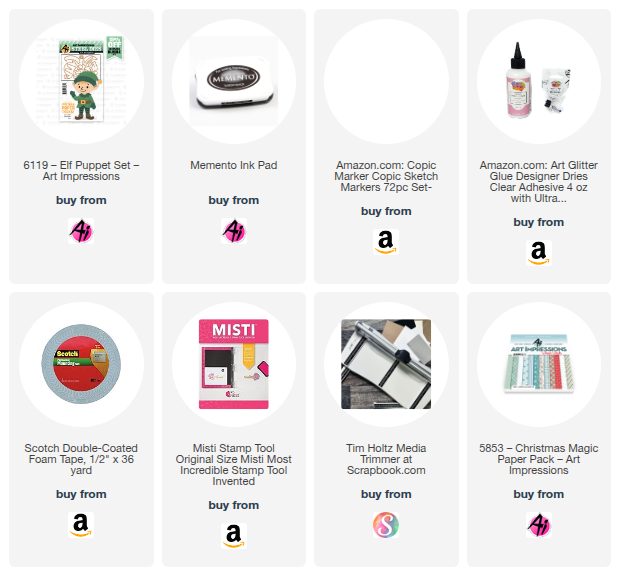
Today I have a fun gift bag for you featuring the new #6119 - Elf Puppet set.  These puppet sets are so fun to make and so dang adorable!  I did my usual and stretched his legs to make him dance.


I made one of these boxes last year decorated with a gnome.  You can find the dimensions and instructions on how to make the box here.  
To stretch the Elf legs:  partial cut the bottom of the legs with the die and then hand cut an additional 1/2" or so for the top of the legs.  Punch a hole towards the top for a foam dot to fit.  Place the foam dot on the back of the shirt and slip the legs over the foam dot.  Die cut an extra shirt out of cardstock and adhere that to the other sticky side of the foam dot (the legs should be in between the shirts).  The legs will swing back and forth.

I die cut all of the other pattern pieces out of #5853 - Christmas Magic PP.  For the face of the Elf, I die cut it from a copic friendly paper and colored it with copic markers listed below.  I stamped the eyes from a set in my stash and I drew the nose and mouth.  

I finished decorating the box with bells and baker's twine and closed it with a red clothes pin.

That's it for me today.  Hope you find yourself creating some of these boxes and filling with little treats for Christmas.

Have a wonderful day and keep creating!

Copics used:  R20, E11, E01, E000
Black Zig pen for drawing face features.

Thursday, December 4, 2025

Reindeer Box

 Happy Thursday AI Friends!

I hope you all had a wonderful Thanksgiving week celebrated with friends and family!  

December is here and that means holiday creating!  Clearly, I'm one of those that doesn't get started until now.  Yikes!  Guess I love the pressure of the holiday season.  ๐Ÿ˜ 

I've got a fun project for you today and you'll find yourself wanting to make lots of these.  I used the new #6104 Christmas Keepsake set for this cute little box.  I found a quick video on Pinterest by SammyDemmy displaying this box, but it is in a foreign language.  I was able to improvise and create a version for you with English instructions.  I want to give credit to Sharon for helping me perfect the nose mechanism.  Thanks, bestie!

Cutest little box EVER!  

To open the box, you pull the reindeer's nose.


The finished box size is 3 1/2" tall x 2 3/4" wide x 1/2" deep.  This will fit a gift card nicely or you can place money or a small gift inside.

To make the box:  Cut a piece of 100 lb cardstock at 5 1/2" x 4 3/4".  Score along the 5 1/2" side at 
1/2", 1", 3 1/4" and 4 1/4".  Turn and score at 1/2", 1", 3 3/4" and 4 1/4".  On each of the corners, cut off the 3 small outer squares and snip up to the fold on the remaining small square (see below).


Fold and burnish all score lines remaining.  Tuck in each of the small tab squares and glue to the inside lower fold creating the box shape.  Before glueing the top 1/2" flap, check to see if you need to snip off a little so that it fits just to the bottom of the box when tucked inside.  Place glue on the top 1/2" flap and fold into the box to give the box stability (see below).  Do this for all four sides.  Your inside box is ready.


For the box cover:  Cut a piece of pattern paper at 7 1/4" x 3 5/8".  
Score along longest side at 1/2", 1 1/8", 3 7/8" and 4 1/2".  Fold and burnish.

To create the nose pull:  Color your reindeer and adhere it on a red circle base.  Punch a 1/8" circle into his nose.  Place the reindeer over your pattern paper box cover and mark where you want the nose.  Note:  I found that the lower you place the reindeer on the box, the farther the box will open.  
Punch a hole into the pattern paper for the nose.  If you have a crop a dile that will reach, you can adhere the reindeer onto the pattern paper and then punch the hole through all three layers at one time vs. marking it.  
Once the hole is punched onto the pattern paper, line up the hole with the reindeer and adhere the circle in place.  Thread the ribbon or embroidery thread through the bell.  Tie the thread so bell stays in place.  Place the two ends of the thread through the hole to the inside.  Hold the inside box into place and bring the thread up the front of the box and over the top.  Glue the thread on the top and again on the back of the box (towards the top).  After the glue has dried completely, snip off the loose thread from the back and glue the box cover together.  Make sure the cover does not adhere to the box.  


If you want the box to hang from the tree or a gift, place a tag topper to the back side of the box cover.  Tie some ribbon or string and a To/From tag to the topper and it's ready for your gift or tree.


Once you make one of these, you will find yourself making so many more!  Have fun pulling his nose!

Thanks for joining me today!  Keep creating!

Copics used:  E50, E51, E53, E55, E57, E59
R20, R22, R24, R27
Y28, Y32, Y35
Thursday, November 20, 2025

Let it Snow - Pop out Interactive card

       Happy Thursday AI Friends!

I'm so excited to be the one to introduce the new AI blog challenge called "Flurries Forecasted"!  I'm not quite ready for the snowy weather but I'm sure ready to add snow flurries to my cards, tags and projects.  Hope you are just as ready as I am and decide to play along with us!

You may have noticed that I love interactive cards, so yep, I have a fun one for you today using the 
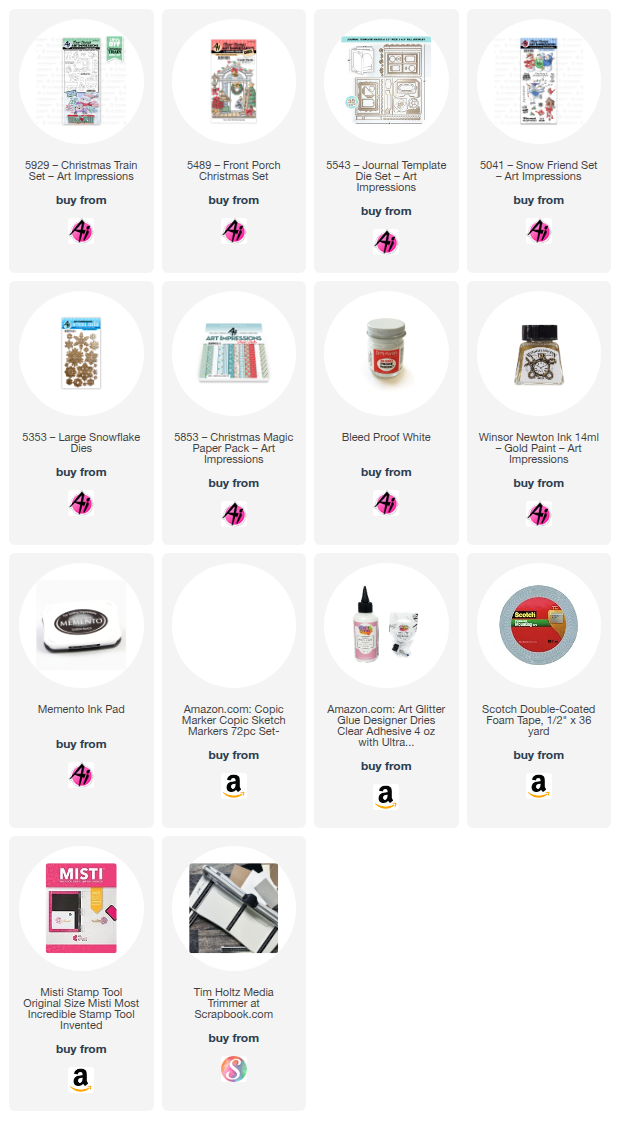
#5929 - Christmas Train set along with some accessories from the #5489 - Front Porch Christmas set.
I love the way these sets work together so that you can combine and stretch their use.


The video below will show how this card opens and stores.  When folded it's an A2 card, but pops open to be approx. 5 1/2 x 12" wide.  Because of the panels that extend out, the card is much thicker than a standard A2 card and will need a larger envelope plus additional postage, if mailing.  


So to get started - I stamped the images with Memento black ink onto copic friendly paper and colored with my copic markers listed below.  I then die cut each of the images with the coordinating dies that are included in both of the stamp sets.  For the two penguins rolling down the snowy hill (on the front of the card), I die cut an extra one, out of heavy cardstock, and adhered to each to give a little extra weight for them to roll better.  I die cut various size snowflakes using the #5353 - Large Snowflake dies from glitter cardstock.  I also cut several trees out of the #5853 - Christmas Magic PP using a die set from my stash but any pine tree dies will work nicely. 

Now, we're ready to build the card.  I started with a standard top fold A2 card from heavy cardstock.  I scored at 5 3/8" as well as the 5 1/2".  This will allow the folds to come up and over the thickness of the final card.  Fold and burnish these score lines really well.  Hint:  I found that my card stood up better if I trimmed off about 1/2" from the bottom of the back panel.  The inside pop out card is cut from heavy cardstock and measures 4 3/4" x 9 1/4".  Score at 1", 3 3/4" and 6 1/2".  This will provide you with three panels that are 2 3/4" wide.  This is a nice size for each of the train cars.  Score and burnish these folds quite a few times back and forth to help breakdown the fibers.

For the front of the card, cut two slider tracks in blue cardstock, far enough apart so that the penguins won't bump into each other when then roll.  I also cut three blue panels to fit each panel of the fold out base.  I spattered Dr. PH Martin Bleed Proof white paint over each of the blue panels to create the snow-like look.  While those were drying, I cut two panels of glitter cardstock (larger than the front A2 blue panel) and cut the same tracks to match up to the ones on the blue base and I fussy cut each to extend the top of the hill.  I found it easier to cut the glitter panels down after lining the tracks up with the blue panel.  I inked the edges with Ranger Distress Oxide ink - Broken China before adhering and used foam tape for the bottom hillside.  Adhere the hillsides down onto the blue base panel matching up the corresponding tracks and leaving some areas to tuck the trees.  The bottom glitter panel will be stacked over the top panel to create a forward hill.  
To create the rolling penguins, I die cut six 5/8" discs from heavy cardstock (or you can use a penny, button or anything flat and round).  Glue one set of three discs together for each penguin.  Stack and glue two foam dots in the middle of each disc (making sure the dot will fit freely in the slider track).  Place the dots through the slider track from back to front and glue the penguin to the top of the dot poking through the track.  Do the same for the other penguin and track.  You should be able to test to make sure they roll freely at this point.  If all is good, place two layers of foam tape to the back of the blue panel.  Be careful not to place foam tape too close to either slider track as this will prevent the penguins from rolling.  Test again before adhering.  Place a piece of glitter cardstock face down over the tape, so that the glitter will show through the tracks, and then glue down to the front of the A2 card. 


Now, for the extended pop out card.  Glue the one inch tab to the inside back panel of the A2 card base.  See below.

Cut several snow drifts from glitter cardstock.  For the two main snow hills, I cut two long ones (different heights), ink the top edges and then cut into thirds so that the hillsides with match up from one panel to the next.  I put foam tape under the front hillside so that the train cars will fit behind with a little dimension.  This is the only dimension I did so that the panels would fold nicely.  If there are too many pop up items, the panels will not fold.  I added a few scrap pieces in back for added snowy hills. 
 
I added a blue panel to the inside as well as a sentiment panel.  Fold your panels in to make sure it is closing nicely.  They should fold in as follows:  right panel closes onto center, then under left and then into the card.  If you are having any trouble, you may have to trim down the blue panels slightly. 

Now the fun, you are ready to decorate the front and each of the panels.  Remember not to add any more dimension to the inside panels.  Foam tape, at this point, is not your friend.  ;)  
However, the front is fair game.  Have fun!

I hope you enjoyed my card today to kick off the new blog challenge "Flurries Forecasted".  
Hope you play along for a chance to win a free stamp set.  We love to see your creations!
Have a wonderful day!  Keep creating!!

Copics used:  C00, C1, C3, C5
B0000, B000, B00, B01
E21, E23
R20, R22, R24, R27
Y32, Y35    YR16, YR18
G40, G43, G46

Thursday, November 13, 2025

Fall Placecards

Happy Thurday AI Friends! 

Have you checked out the newest challenge called "Gobble Gobble" on the AI blog?  Super fun and simple to play.  Just anything fall or thanksgiving themed.  I thought placecards would be fun for this challenge especially using the newly released stamp set #6105 - Fall Keepsake set.  Perfect for your thanksgiving table!


I began by stamping the images with Memento black ink onto copic friendly paper and colored with my copic markers listed below.  I then die cut each with the coordinating dies (yep, they're included with this stamp set).  I also cut an extra set of all images with scrap cardstock.  I like to adhere to the back of the colored image for stability plus dimension instead of foam tape.  

The placecard is made by cutting a 5 1/2" x 3 1/2" piece of cardstock.  Score at 2", 4" and 4 3/4" along the 5 1/2" side.  Fold and burnish as mountain, valley, mountain.  Place your images as desired and die cut the letters for each name with the #5562 - Journal Letter die set.  

And there you go, easy peasy, you're ready for your table setting!

Thanks for joining me and I hope you join along with the blog challenge for a chance to win a free stamp set.   We love to see your creations!

Have a wonderful day and keep crafting!
Copics used:  E50, E51, E53, E55, E57, E95, E97
R20    YR02, YR04, YR07, YR20, YR21, YR23

Thursday, October 2, 2025

Winter Wonderland

 Happy Thursday AI Friends!

I was having too much fun making cards for the current Blog challenge "In The Navy" so I'm sharing two of the them with you today.   I used the #5953 Woodland Critters and #5954 Woodland Bears.  These would make such a cute gift set for that special someone that has everything.  What's better than giving/receiving handmade gifts?


I started out by stamping the images onto copic friendly paper with Memento black ink and colored with my copic markers listed below.  Each of the images in both sets come with corresponding dies.  As usual, I die cut an extra set from heavy cardstock.   I love the dimension and stability.

Card #1:  I created a fun pull tab interactive card where the critters slide down the hill when pulling the tab.  This is a square 4 3/4 inch card.  To make the stitch border, I partial cut two sides using the largest #5063 Rectangle A2 Double Stitch die and then cut the other sides to make this large square.   I spattered Dr. PH Martin's Bleed Proof White paint onto the navy blue cardstock base to create a snowy background and also glued some of the snow die cuts that were left over from card #2.  The stitch snowy hills were using dies from my stash. 
Card #2:  I created a popped up frame card.  Using the #5782 Snowflake Frame die, I die cut two frames with heavy cardstock and glued them together.  Saved some of the snowflake pieces from the frame die cuts and used on card #1.  This card measures 3 1/4 x 4 1/4 inches.  I spattered Dr. PH Martin's Bleed Proof White paint onto the navy blue cardstock base to create a snowy background.  Again, I used a curvy stitched die from my stash to create the snowy hillside.  I popped the frame and the images up using foam tape onto the hillside.  Added a bow and the card is finished. 
Hope you enjoyed my cards today and you decide to join us in the Blog challenge.  See above tab for details and a chance to win a free stamp set.  We love to see your creations!

Have a great day and keep creating!

Copics used:  E30, E33, D35, E37, E40, E41, E43, E44
E51, E53, E55, E57, E59
N1, N2, N3, N4
Y13, Y17, Y19, 23, Y26, 
R20, R22, R24, R27
BG90, BG93, BG96, BG99
BV20, BV23

Thursday, July 3, 2025

Hello 4th

 Happy Independence Day AI Friends!

WOW!  Have you seen the newest release of papers at Art Impressions?  Holy cow!  I couldn't stand it, I had to put a card together using the new #6090 - Patriotic paper pack.  Although a lot of the papers are 4th of July themed, there are many that can be used for any occasion.  The patterns are incredible and the colors are vibrant and fantastic.  Make sure to check them out!  I can't wait to design with the rest of the pack!!!

I started out by stamping the images from the #5452 - Swing Window set onto copic friendly paper and coloring them with my copic markers, listed below.  The little puppy has a coordinating die that comes with the set so you can pop him up, if you choose.  


I used the #5408 - Shadowbox Window Die to display the image and then I created an interactive venetian blind which was inspired by a Technique Tuesday die tutorial that I found on YouTube.

To create without the die:  Cut a piece of pattern paper 2 3/4" by 4 7/8".  Score every 3/4" along the longest side.  Before folding, punch a small hole, approx. 1/8" in, between each score line on both sides for the strings.  Try to center punch each of the holes, but it does not have to be perfect.  Fold each of the score lines into peaks and valleys.  The valley end should be at the top, this is the side that adheres to the base.  Thread a string up both sides leaving the loose ends at the top.  Thread a bead or knot the loose ends for the string pulls.  Adhere the valley side of the blinds down to the base by placing glue between the string holes.  Make sure to place glue only between the holes or the mechanism won't work. 
 
Valance:  Cut the valance out of another piece of pattern paper and partial die cut with the #6047 - Scalloped Square third largest die (should measure 3 1/4" wide by 3/4" tall).  Make a slight snip on either side at the bottom scallop to hold the string when pulled up.  Pop the valance up with foam tape and adhere just above the top of the blinds.
The bow and the flag heart are fussy cut from the pattern papers of the same paper pack.  Makes great accents!  The Hello die cut is part of the Shadowbox Window die set.

Thanks for joining me today.  Hope you have a wonderful and safe 4th of July weekend.
Keep creating!!

Copics used:  E000, E01, E11, E21, E23, E25, E50, E51, E53, E55
Y13, R20, R22, R24, R27
G20, G21, G24, G28
B0000, B000, B00, B32, B37

Thursday, February 13, 2025

Pull Up Valentine

 Happy Thursday AI Friends!

Valentine's Day is tomorrow.  Are you ready?  If not, I have a fun little pull up valentine for you with a cute little hidden sentiment using the #5902 Mini Scallop Frame die as well as many other sets listed below.  If you have already finished your valentine's, imagine this for other occasions using balloons, stars, etc. instead of hearts.  

To begin, I took the bear image from the #5521 WC Animal Planters set and stamped onto copic friendly paper with Memento black ink.  I also stamped him to create a reverse image so that I could make his back leg and his left arm since the stamp set has a flower pot hiding both.  To do this, I stamped him onto a smooth silicone mat and then took my paper and pressed it onto the stamped image on the mat.  This will create a reverse image.  Using a misti is helpful incase you need stamp again to darken the image.  I colored both images with my copic markers, listed below.  I then used a wash rag and dabbed some alcohol onto it and lightly pressed it against the body parts of the bear to make him look fuzzy.  I fussy cut all the pieces (bear, back leg and left arm) and pieced him together using some foam tape between his legs.  I also placed a heart box of candy (from the #5493 Front Porch Valentine) in his arms.  I just love this cute little bear!  
I cut the #5902 Mini Scallop Frame using the brown hearts paper from the #5832 Gnome Paper Pack.  I cut a heart shape for the window and placed acetate on the inside of the window.  I also stamped the "You're So Sweet" and added a couple little die cut hearts to the inside.  I then placed a thin line of foam tape to the inside bottom scallop edge so the streamer wouldn't fall through.  I glued up the side of the frame and it is ready to decorate.  Don't forget to attach the easel to the back so your frame/card will stand up on display.

To make the pull up heart streamer, I die cut 16 red hearts (front and back) and strung them onto a white thread leaving about 2 inches above the first heart.  I die cut the letters for the sentiment "Love You" from the #5562 - Journal Letter die set and attached each letter to a heart leaving a blank heart between words.  Perfect size letters to make a cute little sentiment.  I cut two fishtail banner pieces in red cardstock.  I then cut a square 2 5/8 inch piece of red gingham paper and glued it to the bottom half of the back side of one of the fishtail banner pieces.  Snip off any paper showing in between the fishtail.  Take the streamer and glue the top thread to the middle of the banner above the gingham paper.   Take the other fishtail banner and glue the top halves of the banners together leaving the bottom half open so it can rest over the top of the frame.  I added the heart banner and bows to the front banner for some cuteness.

  Gather the heart streamer together over the gingham paper and insert into the top slit of the frame.  Some of the letters will show through the window but the message will be a mystery until the recipient pulls from the frame.

I hope you enjoyed my card today and your imagination is running wild with other variations.
Have a great day and keep creating!

Copics used:  E21, E23, E25
R20, R22, R24, R27

Thursday, December 12, 2024

Merry & Bright

 Happy Thursday AI Friends!

Christmas is going to be here before we know it and I wanted to share my Merry & Bright Christmas card.  I used the #5192 Penguin Cheer as well as the #5457 Christmas Truck Rides sets.  These little Penguins bring so much cheer!


I stamped the penguins with Memento black ink onto copic friendly paper.  I then made a mask of the penguins so I could stamp the tree to look like it is behind the penguins.  The tree in the Christmas Truck set was too small compared to the penguins so I had to stretch the tree to make it larger.  To do this, I inked up the tree with the Memento ink and wiped off the trunk before stamping where I wanted it to fall behind the penguins.  Then I inked it up again and wiped off the top two layers of the tree and the trunk and positioned the stamp to fall under and to the right of the original tree.  Lastly, I inked up the trunk and stamped it to fall in the center lined up under the tip of the tree.  Since it fell just perfectly behind the penguins, you can't tell the tree was stretched.  After the image was how I liked it, I then colored it with copic markers (listed below). 
I die cut the presents with the coordinating dies that came in the Christmas Truck set and popped them  up under the tree.  I used stinkles on the star and glossy accents on the ornament and lights.  I stamped the sentiment from the #Mini Christmas Sentiment set.  I then layered the image onto papers from the 
#5962 Classic Christmas PP and tied a red bow to top it off.  The frame was made with dies I had from my stash.

 Thanks for joining me today and I hope you enjoy my card!

Copics used:  C00, C1, C3, C5, C7
E53, E55, E57
R02, R05, R08, R20
YR21, YR23, YR14, YR18
G21, G24, G28
BG70, BG72, BG75

Thursday, November 7, 2024

Dancing Santa Tag

 Happy Thursday AI Friends!

Have you seen the new Art Impressions Christmas release?  Wow, what a bundle!  Two cute stamp sets, a die set and two beautiful paper packs.  I decided to play with the #5931 Santa Puppet die set and boy, did I have fun making several versions of this Santa.  I have several more that aren't christmas so I'll save those for another post.  Stay tuned.

For my first Santa, I made him a dancing tag.  His body and legs move.  Check out the video below.


I partial die cut the pants (cut up to top of pant and then hand cut to make pant waist higher - see Pic 1).  I die cut all of the other pieces as well as an extra jacket and hands and decorated accordingly (see Pic 1 below).  The oval white piece on the right is a rough cut of the back of the head as you will need a base piece.  I then punched a hole in the three pieces as seen in Pic 1.  To put them together so that Santa dances, hold the leg piece where you want it to fall under the finished jacket.  Turn this over and adhere a foam dot into the hole (Pic 2).  Layer the extra jacket behind the back of the other jacket and adhere with the foam dot (see Pic 3).  Next hold the face over the front of the jacket, turn over and place another foam dot into the hole on the back of the jacket (see Pic 4).  Adhere the head base piece onto the foam dot in the jacket.   Your dancing Santa is ready for decorating with a pompom on the hat and a string to hang from the tree or present.

         Pic 1                                                                                                              
  
                                Pic 2

         Pic 3                                                                                                                
   
                                  Pic 4

      Pic 5

My other variations using the 5931 Santa Puppet die set:

Cut my Santa in half and made two tags, one of which using the 5132 Tag Stitched Die.  I popped up the chimney and placed the body of Santa upside down into the chimney.   The second tag, I scored the arms before putting the cuffs on and folded them in half, then put the cuffs on the outer side so he was wrapping his arms around the star.  I also added google eyes to him for fun.  I cut several snowflakes from the 4804 Snowflake dies and the icicles on the chimney are from the 5407 Birthday Cake gift card die.  The sentiment is from 5350 Animal Nativity Set and candy canes are from 5187 Gingerbread cubbies and 5457 Christmas Truck cubbies.


For the following tag I decided to make him a gnome santa.  I shortened his arms and legs and placed the hat lower on his face.  For his beard, I cut two but I cut one differently, by cutting half and then moved the die to stretch his beard and make it wider.  Another thought, you could use the 5223 Bookmark die and cut the top tab off to make a smooth beard.  He actually fits perfectly, but I wanted a fuller beard.  The die used for the santa sack is included in the 5931 Santa Puppet die set.  I believe it is actually to be used as the santa face base, however, I saw someone suggest a possible santa sack so I borrowed her great idea.  I wish I could remember who it was, so I could give her a shout out.   The candy canes are from the 5178 Gingerbread Cubbies and the banner is from 5722 Birthday Journal die set.  The sentiment is from the 5192 Penguin Cheer set.


Thursday, November 16, 2023

Merry & Bright

 This is week #2 of Art Impression's "Making Spirits Bright" challenge.  I don't know about you but my spirits are brightened whenever I receive a handmade card/tag/gift.  I enjoy receiving as much as I enjoy making them.  What happened to the old days where we use to make Xmas gifts vs. bought?  So much more special and meaningful.  I vote to go back to the old ways!  


 For this challenge, I decided to make a shape card using the Art Impressions Holly Jolly stamp set.  These little snowmen are so darn cute!  To make the shape card, I used a large shape die that I had in my stash and just scored it in half to make my base.  I then used the next die in that pack and layered on top of the other to make the base layers.  Such a fun way to use your dies and create a cute card.  

 I stamped the image on cryogen white cardstock and colored with my copic markers.  I framed the image with another die from the shaped nesting die set.  The sentiment is from the same Holly Jolly stamp set and I used the smallest die from the Art Impressions double stitch rectangle die.  The flag banners were cut from the Art Impressions flag double stitch die set.

Hope my card gets you in the crafty mode.  

Enjoy your day.


Friday, December 10, 2021

Christmas 2021

 The challenge at Art Impressions this week is Happy Happy Holidays.  This is always my favorite time of year.  I LOVE to create Christmas cards and I usually make about 75 to send out.  So, I started this card back in May but, of course, I am still working on getting them done.  Why is that?  Seems the time just gets away from me (or maybe a little procrastination - cuz there wasn't a hurry back then)!  Even though it has taken me a long time to finish these, it was worth it because this is probably my favorite one of all!


 I used the Reindeer Flutter set from Art Impressions.  This is an interactive card - pull the tab down and the penguin's feet flutter up and down.  Sooooo darn cute!!  I stamped the image on copic friendly cardstock and colored with my copic markers.  I used stickles on the jingle bells around the reindeer's neck and glossy accents on the reindeer's nose to give them a little shine.  I inked the background with tumbled glass distress oxide ink and cut it out with the Art Impressions stitched rectangle die.  I also cut the Art Impressions little snowflake dies out of white glitter cardstock for accents.  I die cut the hilltop and the snowy hill from white glitter cardstock from dies I had in my stash and inked the hilltops using mowed lawn and pine needles oxide ink for the trees and tumbled glass for the snow banks.  Lastly, I used white glitter cardstock on a black cardstock base to frame the scene.  The sentiment is included in the Reindeer Flutter set.

Hope you enjoy my card!  
Happy Happy Holidays!


Monday, October 11, 2021

Halloween Slimline

 This week's Art Impression's challenge is a "Slimline" card.  This was another fun challenge since I have never made a slimline card.  It has been in my projects list to attempt but just haven't gotten around to it so this challenge made me do it.  I'm so use to making A2 or 6x6 cards so to create a 9x4 was unusual but I really enjoyed it.  

  I thought I would make a Halloween slimline card since we are nearing that holiday next and who doesn't like Halloween.  I utilized several Art Impression's stamp and die sets.  The main one being the Haunted Mansion Popcard.  Unfortunately, this one has been discontinued but it's very similar to the Holiday mansion that is still in their store.  This Haunted Mansion set was intended to be an inside Popup card but I just took each piece and used foam tape to create the dimension.  I also utilized the Art Impression's fence dies, Quivery Mini Shaker spider and bat dies, and The Old Bat set saying and cluster of bats in the top corner.  I colored the images with copic markers and used Distress Oxide inks to create the background.  The pumpkins, witch, ghosts, and mansion dies are part of the Haunted Mansion Popcard set.  

  Hope you have a wonderful and fun Halloween.